Tutorial: Set Up and Grant Discounts
Writing a discount rule once, then granting it to individual students — with tiers, class limits and an expiry.
Last updated Sat Sep 05
Discounts work in two halves: a rule describes the kind of reduction, and a grant attaches it to one student. Writing a rule changes nobody's fees until you grant it.
You need: access to Accounting → Discounts.
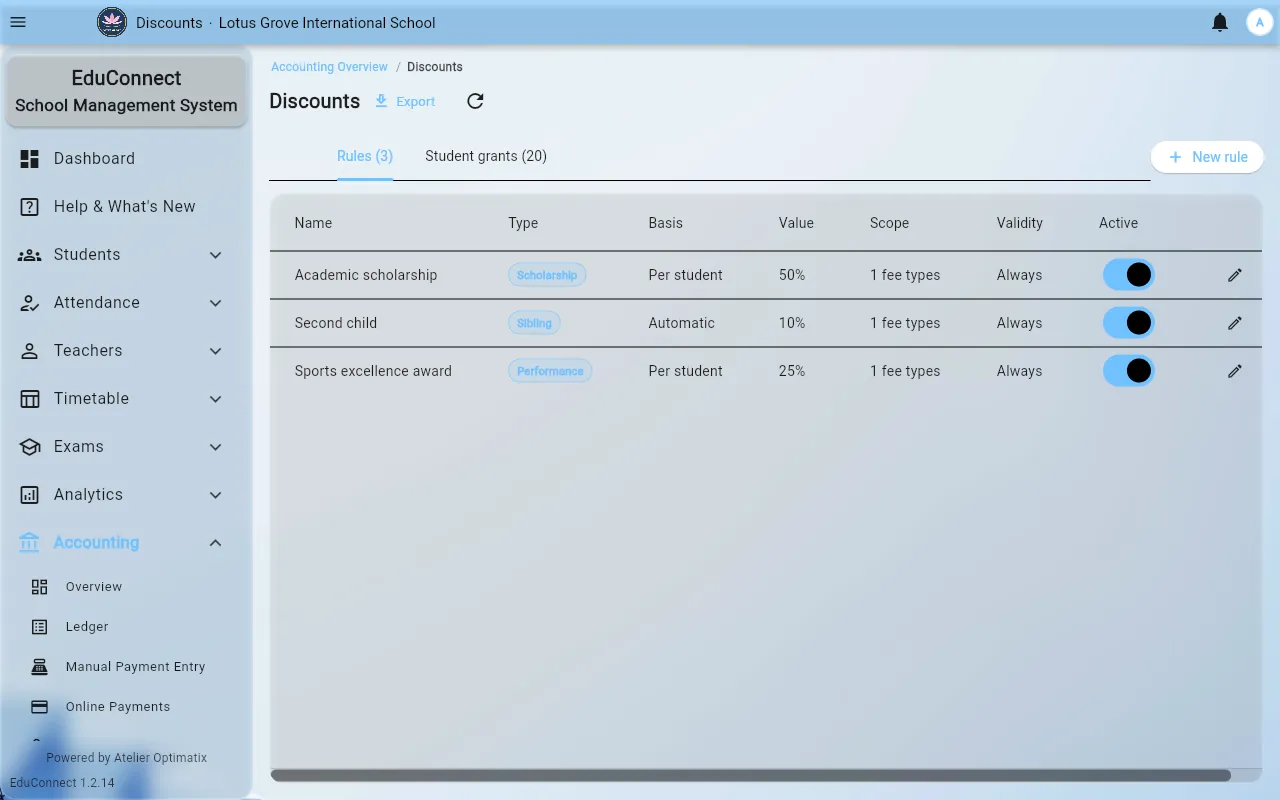
Creating a rule
- Open Accounting → Discounts, on the Rules tab.
- Select New rule and fill in:
- Name — what appears on the student's fee breakdown, so name it for the reason:
Sibling — second child,Staff child,Merit scholarship. - Type and basis — what the reduction is calculated from.
- Value — either a % or a fixed amount.
- Scope — Limit to classes if it only applies to some year groups. Leave the class list empty to mean all classes.
- Validity — the period the rule is good for. An expiry is how a one-year scholarship stops applying on its own instead of being remembered about.
- Active.
- Name — what appears on the student's fee breakdown, so name it for the reason:
- Tiers (optional) — add tiers where the reduction varies by band rather than being one number, for example a sibling discount that increases with the third child. Each tier carries its own percentage or fixed value.
- Save.
Granting it to a student
- Select Grant discount.
- Pick the student and the rule.
- Set the validity for this particular grant if it differs from the rule's.
- Save.
The grants tab lists every grant with the student, the rule, the value, the validity, who granted it, and its status. That "granted by" column is the audit trail — it is the reason to grant a discount here rather than quietly adjusting an amount at the counter.
Revoking
Revoke ends a grant. It does not unwind payments already taken at the discounted rate; it stops the discount applying to future charges.
How it shows up at the counter
When you receive a payment for a discounted student, the dialog shows the Original amount next to what is actually due. Take the amount due.
Related